Strava year in review poster
Your whole year of training, on one wall.
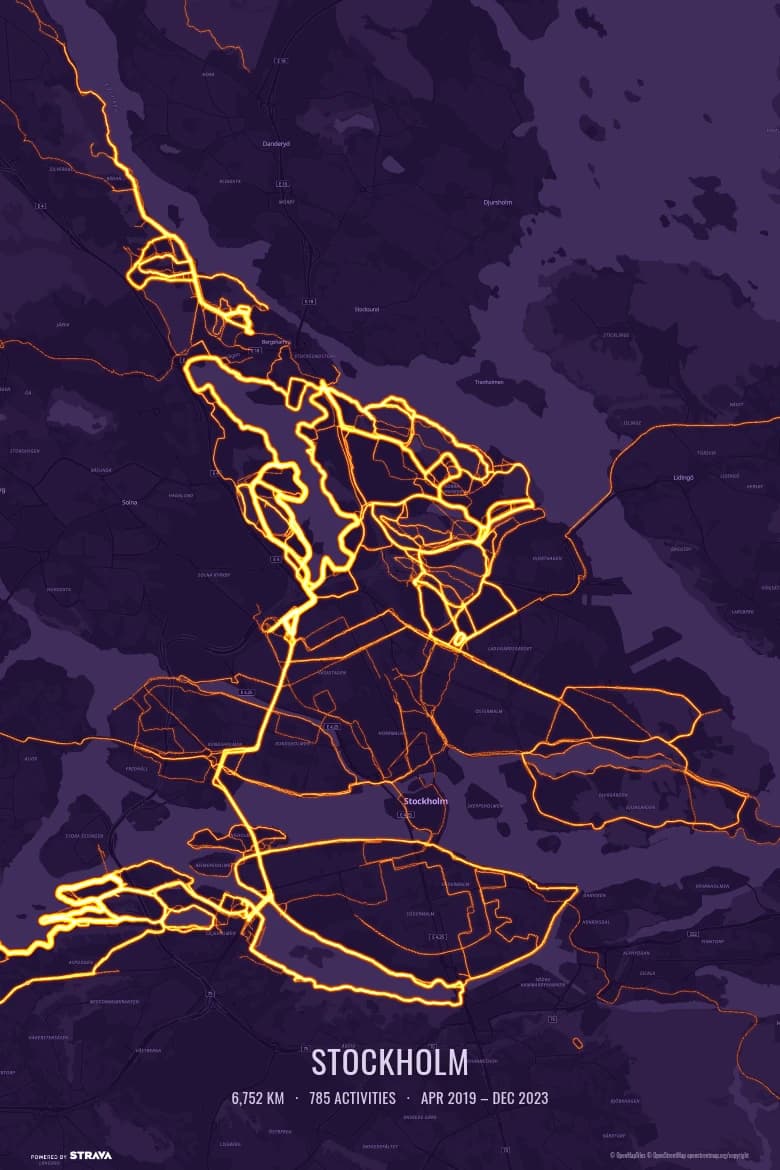
Strava’s Year in Sport is gone once you swipe past it. Heatmapster turns the same year into a 300 DPI print: every run, ride, hike and ski tour from January to December on one heatmap, glowing brightest where you went most often.
 Free — 3 posters per account.
How to make a poster of your Strava year
- Connect Strava. Read-only access; your activities start importing straight away.
- Filter to the year. Pick the year, or any date range — a season, the build-up to a race. Narrow it further by sport if you like: only the runs, only the rides.
- Frame it and add a caption. Drag and zoom to the area you trained in, choose a colour theme, and caption it with the year, your name, the total distance and the number of activities.
- Download and print. A 12×18 inch (30.5×45.7 cm) PDF at 300 DPI, ready for any print shop or online print service.
A gift for the runner or cyclist in your life
Most gifts for athletes are more gear. A year poster is made from the miles they already put in: the early starts, the long Sunday rides, the loop they ran a hundred times.
The one catch, honestly: the map comes from their Strava account, so they need to connect it. Make it together over coffee — it takes a few minutes — and then you print and frame it. Or give a frame and let them fill it with their own year.
Not one for big totals? A single activity works too: the first marathon or a long ride fills the frame as a route poster, with the race name as the caption.
Questions
Can I print my Strava Year in Sport?
Strava's Year in Sport is an in-app recap made for a phone screen, and it has no print export. Heatmapster makes the printable version: filter your activities to one year and every route you recorded that year is drawn on one map, as a print-resolution PDF.
How do I make a poster of one year of Strava activities?
Connect Strava, wait for the import, filter by year (or any date range — a season, a training block), select the activities and frame the map. Add a caption with the year, your name, total distance and activity count. You get a 12×18 inch PDF at 300 DPI. It is free — 3 posters per Strava account, with no payment step.
Can I give a Strava heatmap poster as a gift?
Yes, and it is a popular Christmas and birthday present. The poster is drawn from the athlete's own Strava account, so you can't make it secretly from your side: the simplest way is to make it together — they connect Strava and frame the map in a few minutes, you print and frame the PDF.
Should I wait until the end of December?
Only if you want the last week included. Activities sync from Strava each time you open Heatmapster, so you can make a poster now for a gift and make an updated one after New Year. If you need a print before the holidays, leave a few days for the print shop.
Does it work with Garmin, Wahoo, Coros or Apple Watch?
Yes, as long as the activities sync to Strava, which those devices do automatically. Heatmapster reads from Strava; there is no direct GPX upload.
What size is the poster?
A 12×18 inch (30.5×45.7 cm) PDF at 300 DPI in portrait or landscape. The 2:3 shape fits standard 20×30, 30×45 and 40×60 cm and 8×12, 12×18 and 16×24 inch frames. You print it wherever you like; nothing is shipped.
See your year
Connect Strava and your activities start importing straight away.