Strava personal heatmap print
Your Strava personal heatmap, made for a wall.
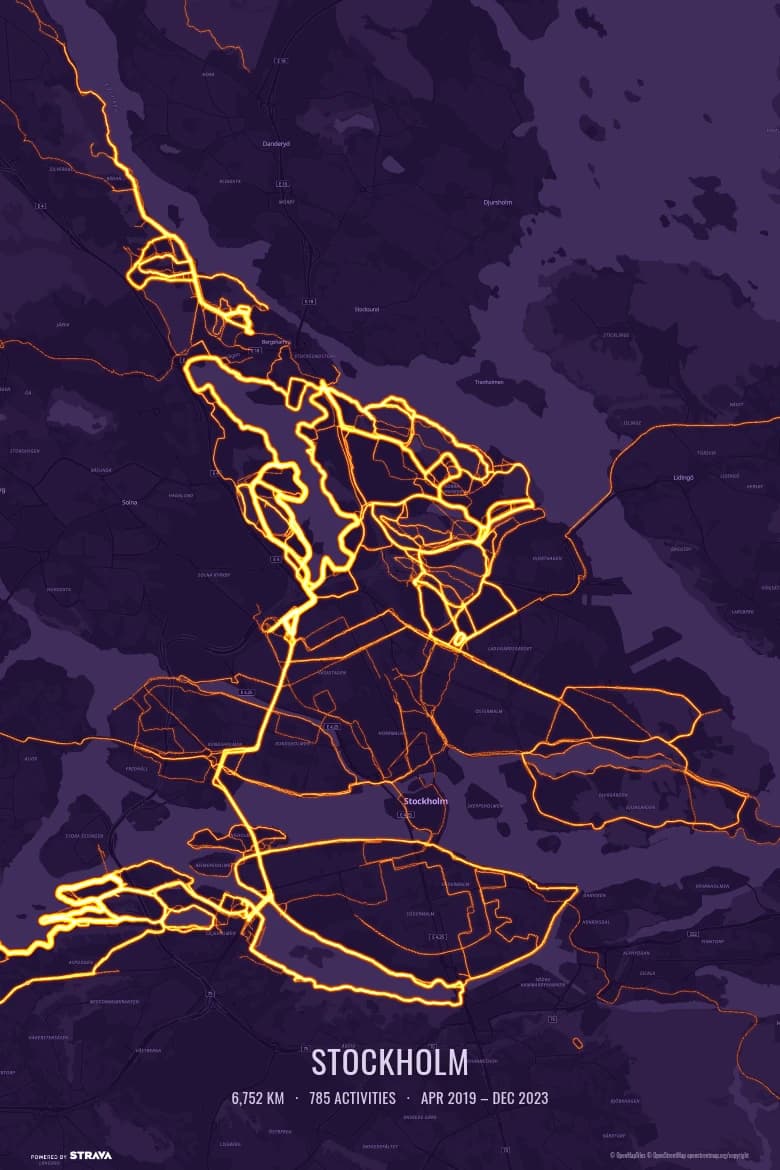
Strava shows your personal heatmap on a screen. Heatmapster draws a heatmap from your own activities as a 300 DPI print: every run, ride, hike and ski tour on one map, glowing brightest where you went most often.
 Free — 3 posters per account.
How to print your personal heatmap
- Connect Strava. Read-only access; your activities start importing straight away.
- Choose what goes on the map. Everything you’ve ever recorded, one year, one sport, or a hand-picked set.
- Frame it. Drag and zoom to your home area, pick a colour theme and add an optional caption.
- Download and print. A 12×18 inch (30.5×45.7 cm) PDF at 300 DPI, ready for any print shop or online print service.
One honest difference: this is not a copy of Strava’s own map layer, and it never includes anyone else’s activities. It is your own routes only, drawn for print.
Screenshot or a real print file?
A phone screenshot is a few thousand pixels wide and has the app’s buttons and labels in it. A poster needs the map redrawn at print resolution, with the lines sharp and the area you chose filling the frame.
That is the one job Heatmapster does: take the routes you already recorded and turn them into a file a print shop can use.
Questions
How do I print my Strava personal heatmap?
Strava shows the personal heatmap on screen and doesn't give you a print-resolution file, so a screenshot is the usual workaround — and it comes out soft on paper. Heatmapster draws a heatmap from your own Strava activities at 300 DPI instead: connect Strava, choose the activities, frame the map and download a 12×18 inch PDF. It is free — 3 posters per Strava account, with no payment step.
Is this the same as Strava's Personal Heatmap?
No, and it doesn't pretend to be. It is a separate map made from the same raw material: the GPS routes of your own activities, drawn so that the places you went most often glow brightest. You choose the area, the colour theme, the sport filter and the caption, which Strava's map layer doesn't let you do for a print.
Do I need a Strava subscription?
Heatmapster only needs your Strava account to read your own activities, read-only. It doesn't depend on a Strava subscription to produce the poster.
Is it the global Strava heatmap with everyone's activities?
No. The poster contains only your own activities. It is never a map of other people's routes.
Can I choose which activities and which year?
Yes. Filter by year, any date range or sport (runs, rides, hikes, ski tours and more) and tick or untick individual activities. Zoom and drag the map to the area you want on the poster.
Does it work with Garmin, Wahoo, Coros or Apple Watch?
Yes, as long as the activities sync to Strava, which those devices do automatically. Heatmapster reads from Strava; there is no direct GPX upload.
What size is the file?
A 12×18 inch (30.5×45.7 cm) PDF at 300 DPI in portrait or landscape. The 2:3 shape fits standard 20×30, 30×45 and 40×60 cm and 8×12, 12×18 and 16×24 inch frames. You print it wherever you like; nothing is shipped.
See your heatmap
Connect Strava and your activities start importing straight away.